Daily Telegram users
Open the Mini App in Telegram or from a home-screen icon, add a record, and get back to the chat. No App Store or Google Play install.
Telegram Mini App
Income, spending, accounts and charts in one Mini App. On your phone it opens in Telegram or from the home screen like a regular app — nothing extra to install.
Who it is for
Built for people who want expense tracking where they already chat — without turning money records into a message log.
Open the Mini App in Telegram or from a home-screen icon, add a record, and get back to the chat. No App Store or Google Play install.
Accounts, transfers, categories and charts — not only a list of chat lines. Totals stay in your base currency.
Use Telegram on the phone and the browser on a laptop. It is the same expense tracker, not a second product.
Keep cash, cards and other currencies in separate accounts, then see one picture of income and spending.
How it works
The Open in Telegram button launches the Mini App. You do not need to hunt for a menu after an empty bot chat.
Tap Open in Telegram. The tracker opens inside Telegram on iOS, Android, desktop, or Telegram for Web.
Your Telegram account is enough to start in the Mini App. You can also use the browser with Google, email, or Telegram.
Choose a base currency, then record spending and income by category. Add a second account when cash and a card need to stay separate.
Open charts and filter by day, month, year or a custom period. Transfers between accounts do not count as spending.
What you get
The Mini App is the same Finance Portfolio expense tracker, not a lightweight chat overlay.
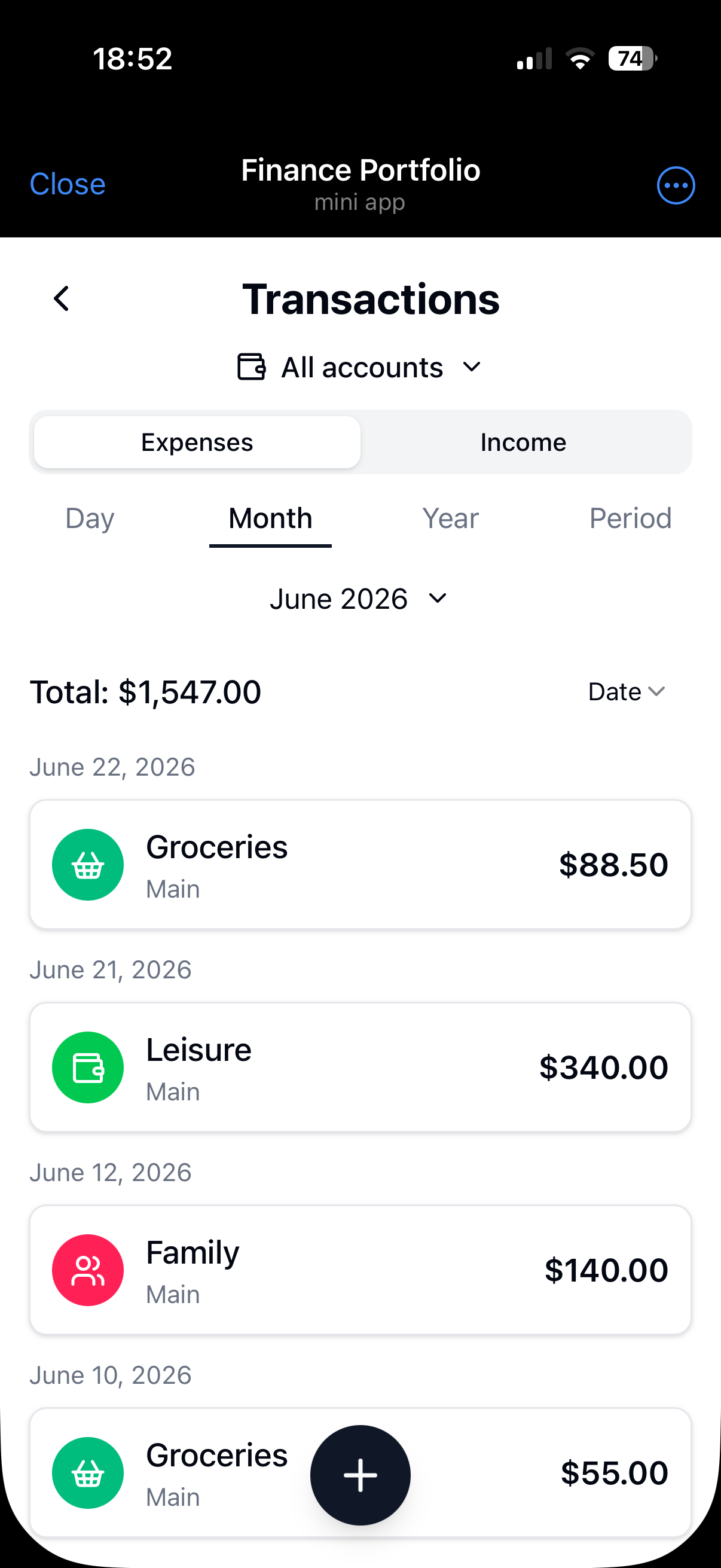
Log records manually with an amount, category and account so monthly totals are readable.
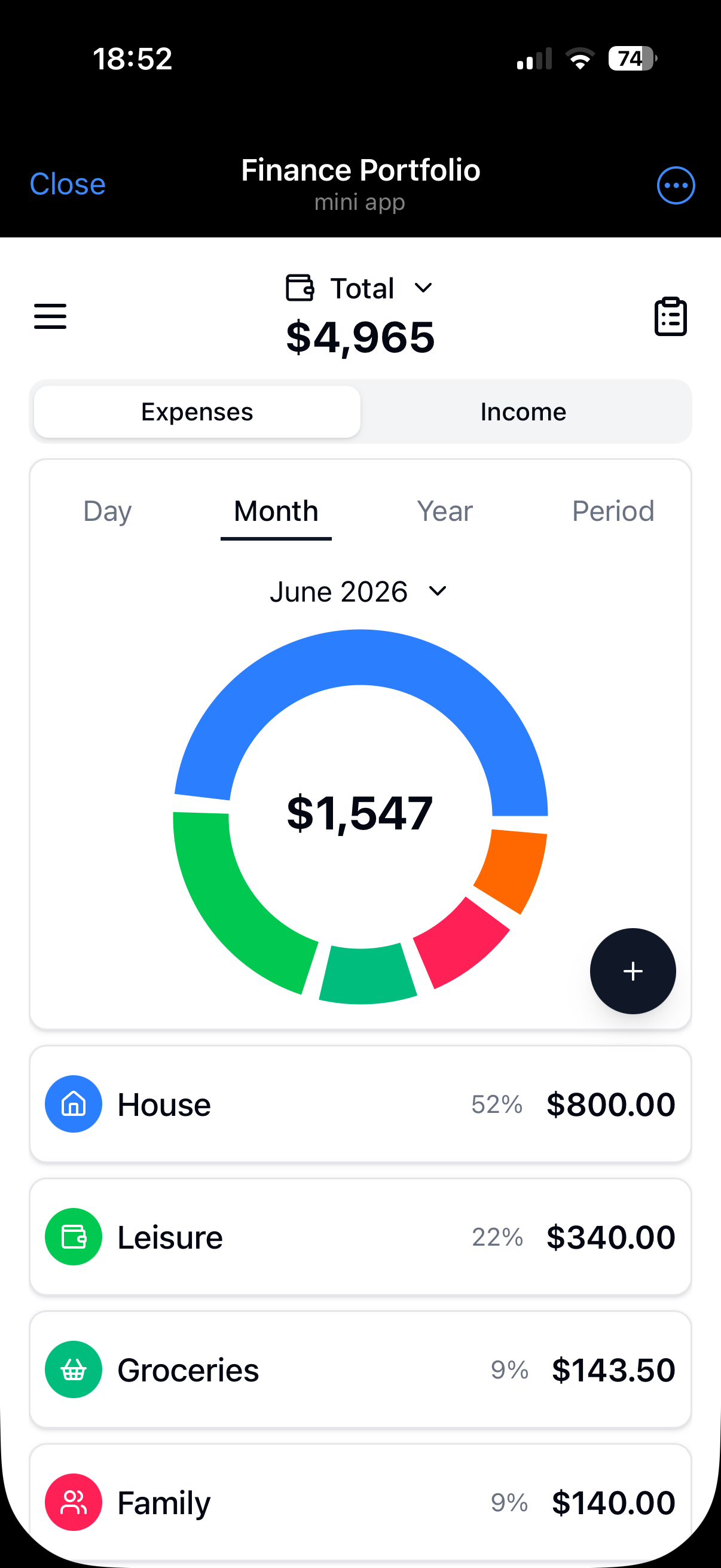
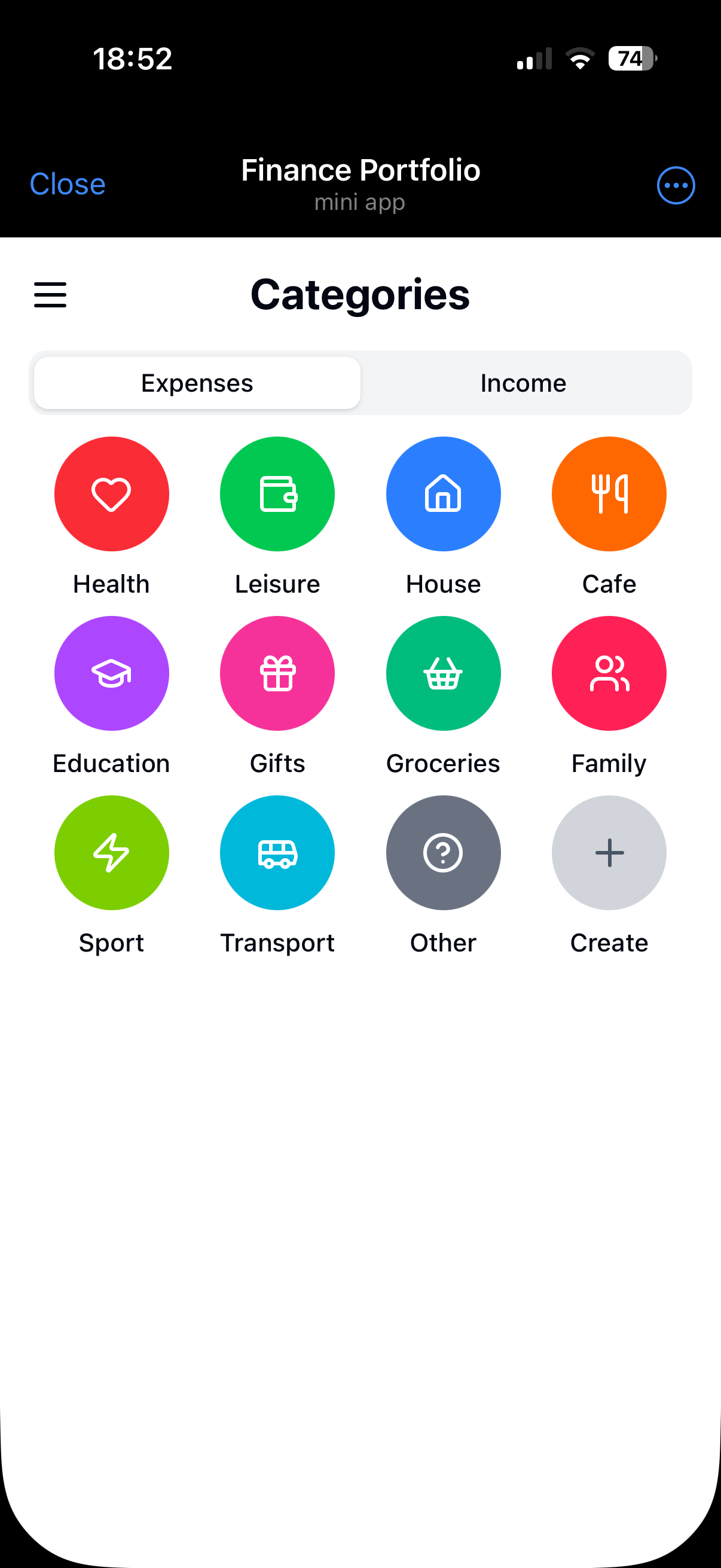
See where money goes by category. Free includes standard categories; Premium unlocks your own.
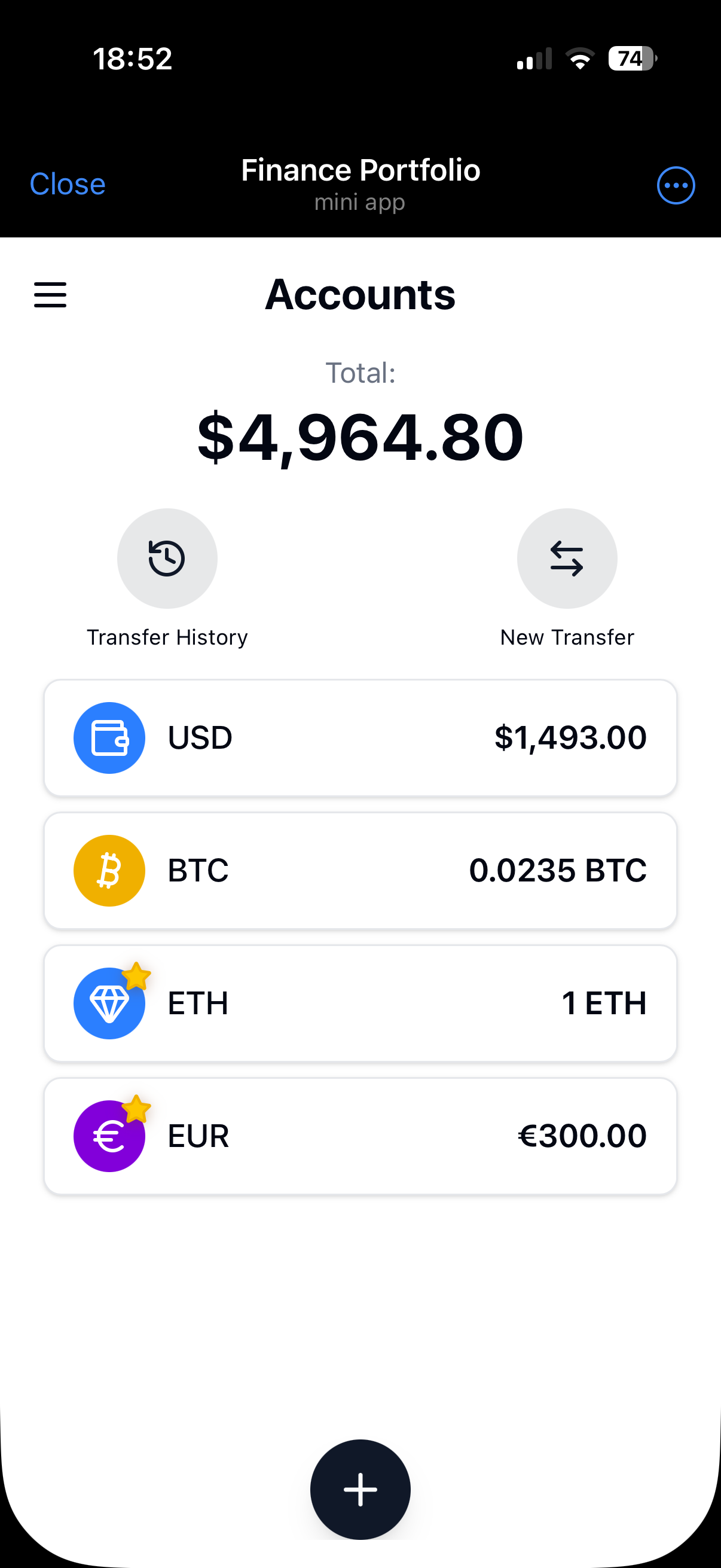
Keep cash and cards apart, move money between accounts, and watch one total in your base currency.
The web app is the same tracker with a larger screen. Sign in and continue from either place.
How it compares
A Mini App with accounts and charts — not a chat log and not a spreadsheet you have to build.
| Feature | Finance Portfolio | Telegram chat bots | Spreadsheets |
|---|---|---|---|
| Mini App interface, not a chat | |||
| Accounts and transfers | |||
| Categories and monthly charts | |||
| Same data in the browser | |||
| Opens in Telegram, nothing extra to install | |||
| Home screen like a regular app | |||
| Ready to use, no formulas or commands |
Inside the Mini App
Dashboard, records, accounts and categories — the same screens in Telegram and in the browser.
Free and Premium
Free is a full expense tracker: two accounts and standard categories. Premium removes those two limits.
$0
no subscription
100 ★
Stars per month, billed monthly
1,000 ★
Stars per year, billed annually
In the Telegram Mini App, Premium is paid with Telegram Stars. In the browser, Premium is purchased through Paddle after you sign in. Web subscriptions renew automatically unless cancelled.
FAQ
Short answers about the Mini App, the bot handle, chat input, and the browser version.
Both exist, but the product is the Mini App. The Open in Telegram button launches Finance Portfolio inside Telegram. The bot handle is the way Telegram hosts that Mini App, not a command-line expense chat.
No. If Telegram is already on your phone, the Mini App opens there. You can add it to the home screen and launch it like a regular app, without installing anything extra. On a computer you can use Telegram desktop, Telegram for Web, or the browser app.
Not in this version. You add income and expenses in the Mini App with amount, category and account. That is slower than a one-line chat bot and more structured for accounts and transfers.
The same Open in Telegram link works in the Telegram mobile app, Telegram desktop, and Telegram for Web. You do not need a second download button for the web client.
Yes. The Mini App and the web app are the same expense tracker. Open in Telegram from this page, or open in the browser when you want a larger screen.
Yes. Free includes two accounts and standard categories, with no other limits. Premium is 100 Stars per month or 1,000 Stars per year in Telegram and unlocks unlimited accounts and custom categories.
In the Mini App, Premium is 100 Stars per month or 1,000 Stars per year. In the browser, payment goes through Paddle. Billing and refund rules are on the Billing and Refund Policy pages.
Launch the Mini App, add the first record, and keep the same tracker in the browser when you need a desktop screen.