Personal records
Log daily income and spending in the browser and see the month at a glance.
Online expense tracker
Finance Portfolio is an online expense tracker: a simple expense tracker in the browser for income, spending, categories and several accounts. You type records yourself — no bank login, no app to install. A new record takes just 10 seconds.
Who it is for
Four short uses: personal records, family, freelance, travel.
Log daily income and spending in the browser and see the month at a glance.
Group groceries, home, transport and shared costs so household spending is readable.
Keep income and expenses in more than one currency, then read totals in a base currency.
Keep cash, cards and local currencies in separate accounts while you travel.
How it works
Three steps, then you are tracking. Nothing extra to install.
Open Finance Portfolio in the browser on a phone, tablet or laptop. Sign in with Google, email, or Telegram — then you are in the tracker.
Totals use one base currency. Free includes the main account plus one extra, so cash and a card can stay apart from day one.
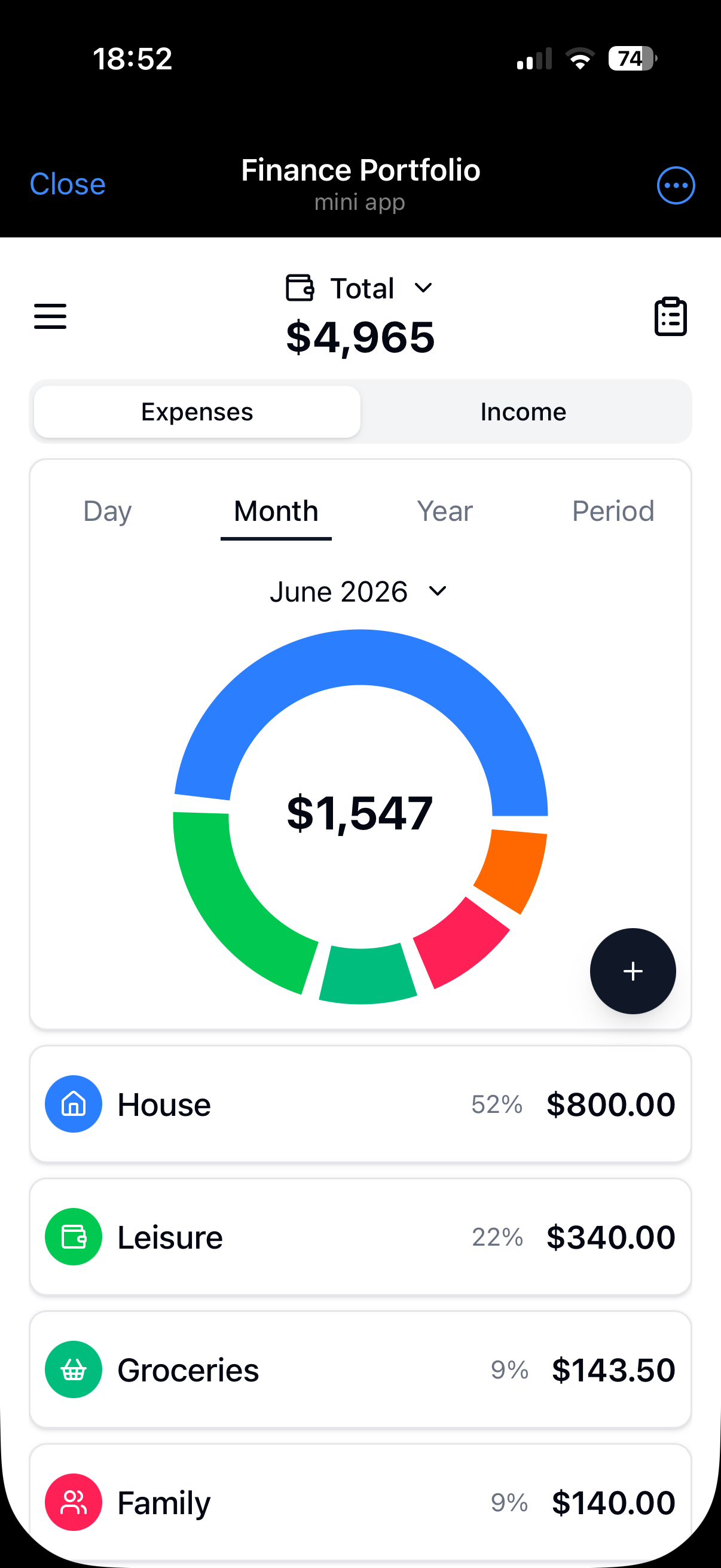
Add amount, category and account. Charts and period filters show the month.
Use it inside Telegram, or add it to your phone’s home screen — no app to install.
What you get
Several accounts and currencies, transfers and charts — ready to use.
Free is two accounts: the main one plus one extra, in any currency. Premium unlocks unlimited accounts. You can add a crypto account and type the balance yourself. The app does not buy, sell, or hold crypto.
Standard income and expense categories on Free. Premium adds custom categories so reports match how you actually spend.
Each account can use its own currency. Totals roll up to the base currency you choose.
Move money between accounts in different currencies — USD to EUR, or dollars to a USDT account when you buy crypto. A transfer is not counted as spending.
See where money goes by category. Filter by day, month, year or a custom range.
How it compares
When another tool wins — and when Finance Portfolio is enough.
| Alternative | When it wins | Why Finance Portfolio |
|---|---|---|
| Spreadsheet / Notion | You want every formula, layout and database view under your control. | Accounts, categories, transfers and charts are already there. You add records instead of building a sheet. |
| Bank-sync apps | You want every card swipe imported automatically from the bank. | A third-party app never gets access to your bank. That is safer than opening banking APIs to outside services. |
| Heavy budget apps | You follow envelopes or a zero-based method and want the app to enforce it. | Finance Portfolio logs income and spending. It does not run an envelope or zero-based system. |
Free and Premium
Free is a full expense tracker: two accounts and standard categories. Premium removes those two limits.
$0
no subscription
$1.99
per month, billed monthly
$19.99
per year, billed annually
On the web, Premium is purchased through Paddle after you sign in. In the Telegram Mini App, Premium uses Telegram Stars. Web subscriptions renew automatically unless cancelled.
FAQ
Short answers about install, security, Free vs Premium, Telegram and what this product is not.
No. Open it in the browser. You can also add it to your phone’s home screen or use it inside Telegram — nothing to download from the App Store or Google Play.
No. Finance Portfolio never asks for bank login or access to your banking apps. You do not grant a third-party API into your accounts. That is safer than apps that sync transactions from the bank.
No. Finance Portfolio is a record-keeping expense tracker. It is not a broker, wallet, exchange, bank, or advisor, and it does not execute trades or hold funds.
Free includes two accounts (main plus one extra) and standard categories. Records, charts, transfers and the rest of the tracker are unlimited. Premium is $1.99 per month or $19.99 per year and unlocks unlimited accounts and custom categories.
No. The browser is enough. Telegram is an extra way to open the same tracker. See the Telegram expense tracker page for the Mini App.
Only as an optional account: you type the balance yourself. The app does not buy, sell, or hold crypto, and it is not a crypto portfolio product.
No. It is a personal income and expense tracker. It is not bookkeeping for a company and not a replacement for an accountant.
Yes. Use the browser, open it in Telegram, or add it to the home screen. It is the same data.
Sign in on the web and add the first record. Telegram or a home-screen icon if you want them.